
Reserve with Google
Reserve with Google allows patients to discover your practice on Google Search and Google Maps and book appointments directly through a "Book online" button. When enabled, patients who find your practice on Google are redirected to your online scheduling page to complete their booking.
If you prefer not to have your practice listed for online booking through Google, you can disable it at any time.
Reserve with Google Settings
Navigate to Scheduling > Settings > Reserve with Google to manage this feature.
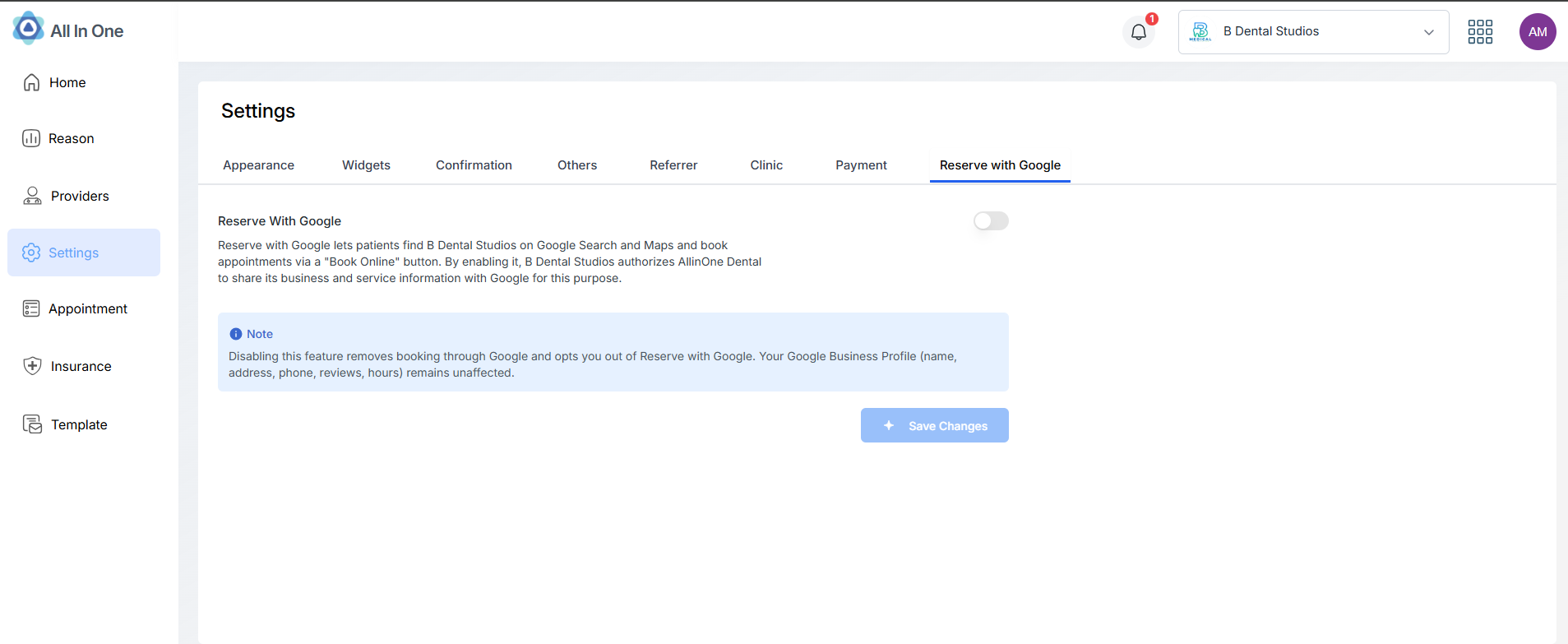
When enabled, the toggle is active and your practice appears on Google for online booking.
How to Disable Reserve with Google
- Log in to your practice dashboard at https://app.allinone.dental/login
- Select the Scheduling module from the top-right apps icons
- Navigate to Settings from the left sidebar
- Click on the Reserve with Google tab
- Turn off the "Reserve with Google" toggle
A confirmation dialog will appear asking you to confirm the change.
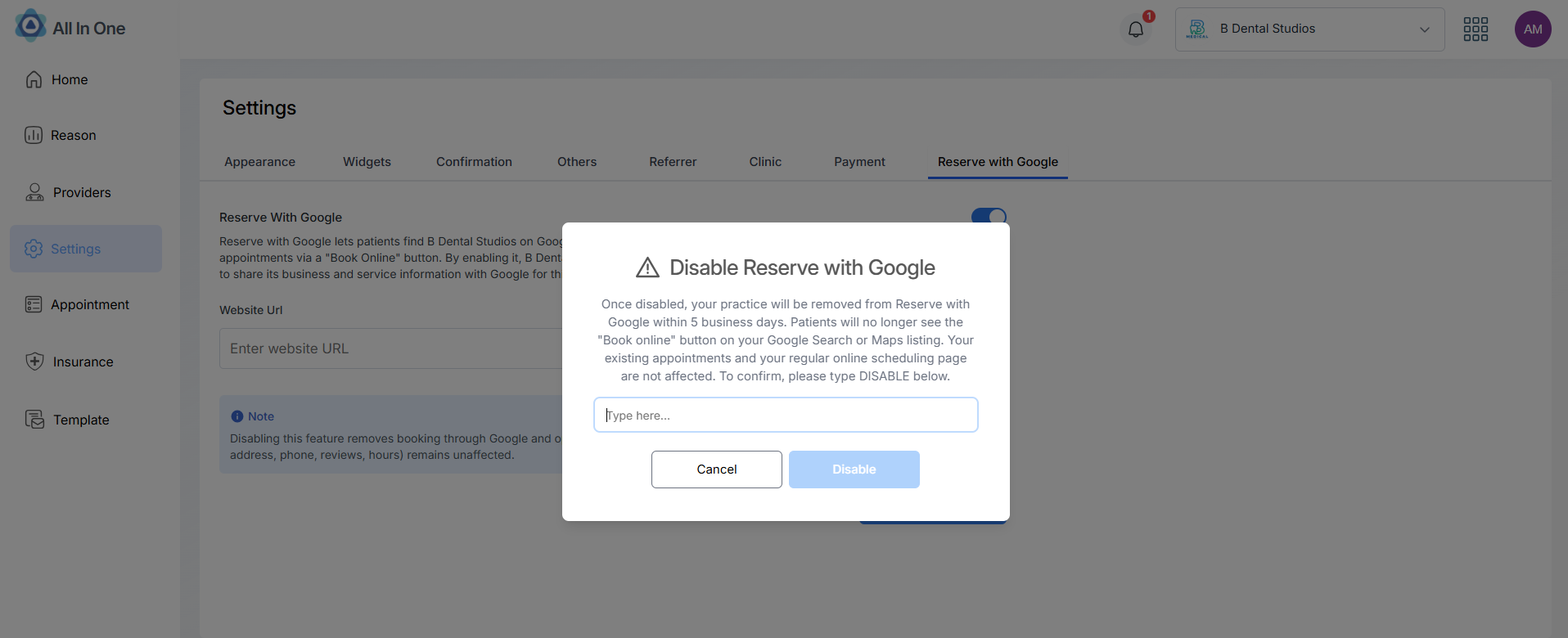
Type DISABLE to confirm and click the button to proceed.
Once disabled, your practice will be removed from Reserve with Google within 5 business days. Patients will no longer see the "Book online" button on your Google Search or Maps listing.
⚠️ Your existing appointments and your regular online scheduling page are not affected.
How to Re-enable Reserve with Google
Follow the same steps above and turn the toggle back on. Your practice will typically reappear on Google within 24–48 hours after the next data sync.
Frequently Asked Questions
Will I lose any existing appointments?
No. Disabling Reserve with Google only stops new patients from booking through Google. All existing appointments, patient records, and your regular online scheduling page remain completely unaffected.
Does this affect my Google Business Profile?
No. Your Google Business Profile (practice name, address, phone number, reviews, hours) is managed separately by Google and is not affected by opting out of Reserve with Google.
How long does it take to be removed?
Your practice will be removed within 5 business days after you disable the toggle. In most cases, it happens within 24 hours during the next data sync with Google.
Related Pages
- Settings — Other scheduling widget configuration options
- Marketing ROI — Track how Google bookings impact your patient acquisition